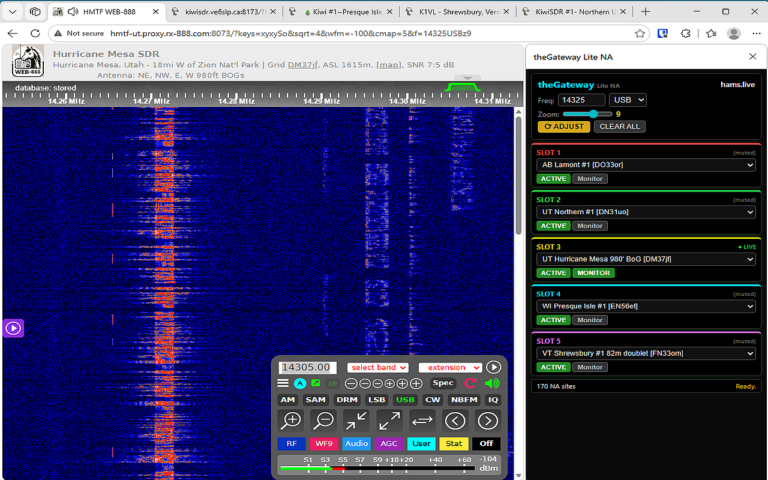
With theGateway Lite , you can open, tune, and listen to up to 5 receivers at once theGateway Lite NA makes managing online SDRs simple: Select SDR receivers in one or more slots (hundreds available worldwide) Activate desired SDRs to launch in browser tabs Verify activated tabs are streaming and interact as required Toggle MONITOR audio on or off with one click Synchronize all SDRs to same frequency/mode with one click All controls handy in side panel INSTRUCTIONS For Chrome users: Click Add to Chrome Browser button below In the pop‑up, click Add Extension Look for theGateway icon in your toolbar For Edge users: Click Add to Edge Browser button below In the pop‑up, click Get then Add Extension Look for theGateway icon in your toolbar Add to Chrome Browser Add to Edge Browser After you click “Add to Chrome Browser” or “Add to Edge Browser” button above: A small pop‑up will appear asking you to confirm. Click Add Extension to finish. TheGateway Lite icon will then appear in your browser toolbar — click it anytime to open the side panel. TheGateway Lite Icon