
The table below shows updates for SDR sites to be added in the next OBS Scene Collection.
video describing how to manually add an sdr source to obs
COPYING SCENES AND SOURCES
OBS Studio natively doesn’t directly support very well managing the copying or moving process for Scenes and Sources. A separate OBS plugin needs to be installed, but by doing so there is a great deal of capabilities added in this regard.
The OBS Plugin is called SOURCE COPY
After installing this plugin, there will be a new menu available in OBS under TOOLS:
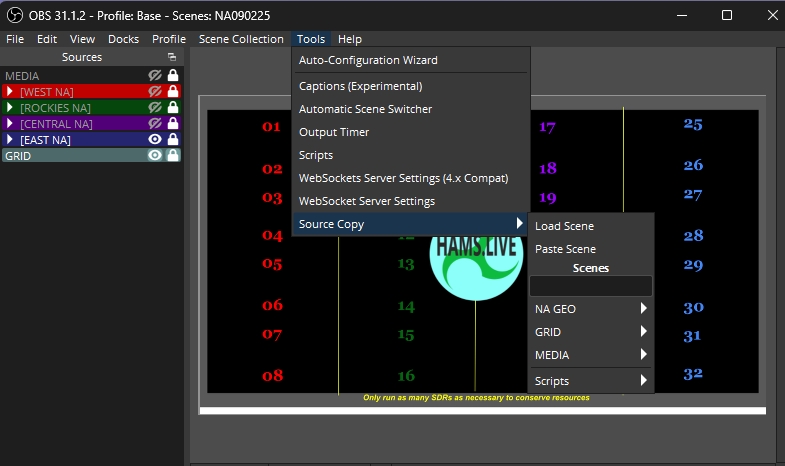
In this menu under each Scene there are more options to manage Sources and Filters:
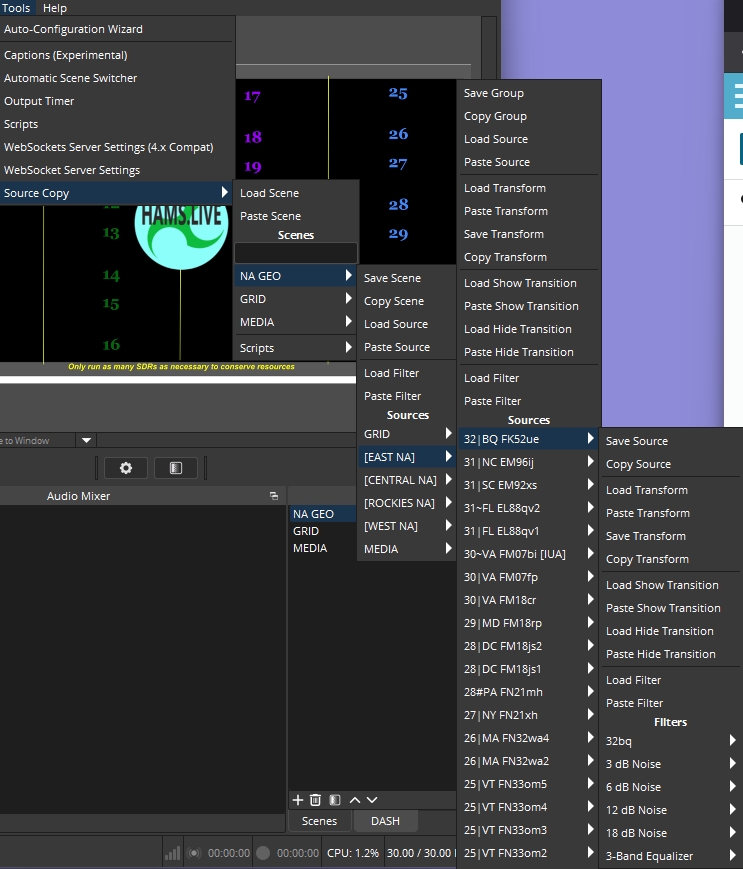
Adding this Source Copy plugin to OBS gives you complete control over manipulating and merging Scene Collection elements.
| Station Name / Grid | System Code |
|---|---|
| Fetching live SDR database… | |